Thanks for the suggestions.
I’ve changed the debugger controls so that Continue, Pause, Step Over, Step Into, Step Out, and Stop now appear in Studio’s main toolbar while debugging. This means they remain accessible when viewing console output or another bottom panel.
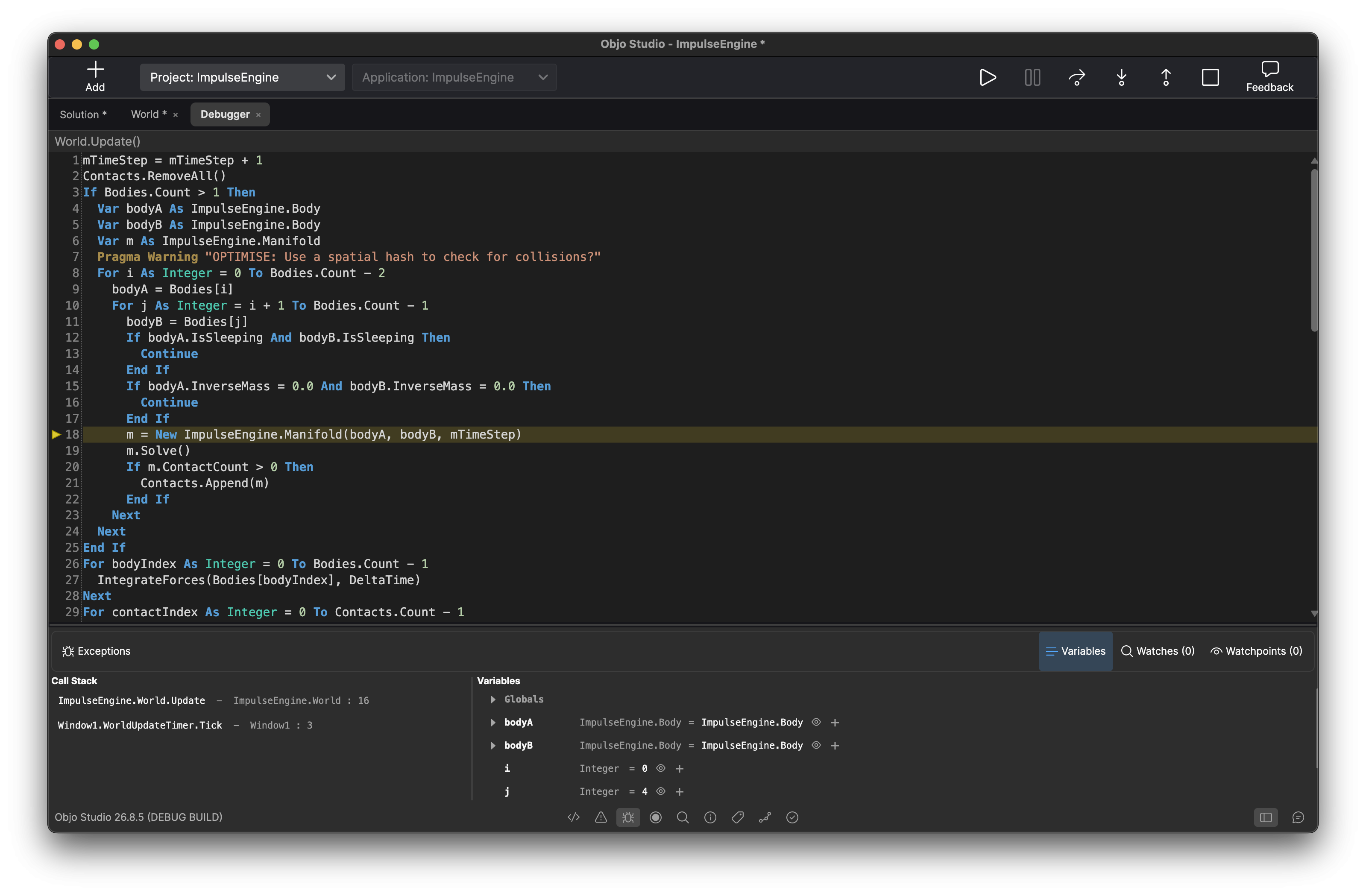
The Debugger panel no longer duplicates these controls. It retains the debugging target selector, Exceptions toggle, and the Variables, Watches, and Watchpoints views.
Studio will show the Debugger panel on the initial pause, but after that it respects whichever bottom panel you choose while stepping through code.
I’ve decided not to add side docking for the Debugger panel. The additional layout and state-management complexity doesn’t seem justified now that the essential controls remain available in the main toolbar.

