Great news - elementary shapes with a background fill will be available in desktop apps in the next release: https://feedback.objo.dev/feature/1134
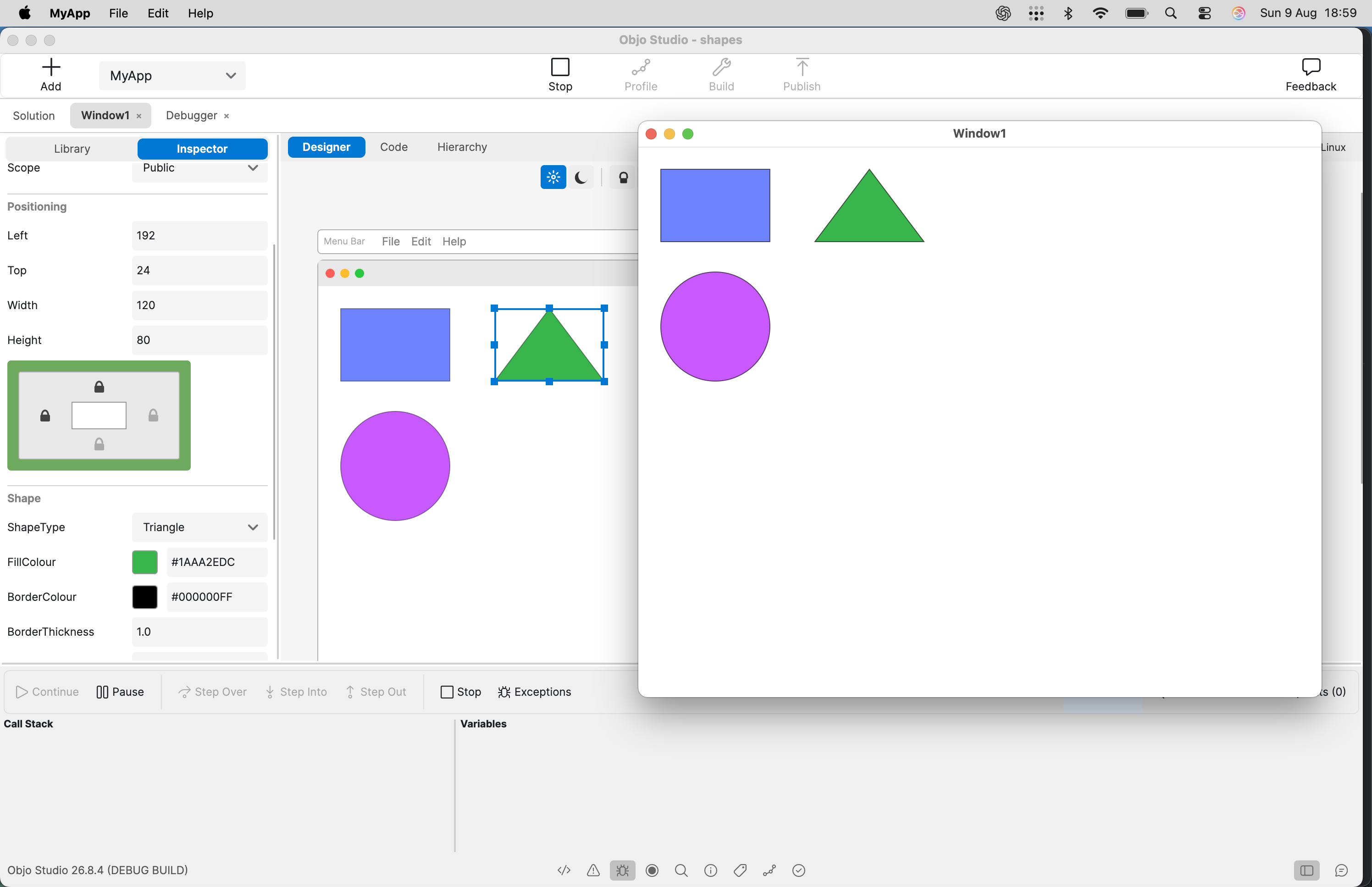
I've added a new ShapeControl control that draws the real shape both at runtime and in the visual designer.
What you can draw
- Rectangles and rounded rectangles
- Ovals and circles
- Upward-pointing triangles
A circle is just ShapeType.Oval with equal width and height, and a rounded rectangle is ShapeType.Rectangle with CornerRadius > 0 — no need for separate circle/rounded types.
Basic usage
Var shape As New ShapeControl
shape.Type = ShapeType.Oval
shape.FillColour = Colour.Green
shape.BorderColour = Colour.RGB(20, 40, 60)
shape.BorderThickness = 2
shape.CornerRadius = 8
Properties
Type — ShapeType.Rectangle, ShapeType.Oval, or ShapeType.TriangleFillColour — the fill colour (alpha supported; areas outside the shape stay transparent)BorderColour — outline colour; follows the current theme's control-border colour until you assign oneBorderThickness — outline thickness, drawn fully inside the control; 0 hides the borderCornerRadius — corner rounding for rectangles, capped sensibly and preserved when you switch shape types
ShapeControl inherits all the usual Control properties and events - position, size, anchors, opacity, visibility, mouse events, z-order — and is skipped in Tab traversal by default. New controls default to about 120×80 logical pixels.
In the visual designer
It appears in the Control Library under Media & Drawing, drops onto the window as ShapeControl1, and the designer actually renders the configured shape - rectangles render as rectangles, ovals as ovals, triangles as triangles, including your fill, border, thickness, transparency, and opacity. No placeholder box. The inspector gives you a type selector plus fill, border colour, border thickness, corner radius, with full undo/redo and multi-select support, and everything round-trips through the layout XML and generated code.