Thanks for raising this. I think this is a genuine gap in the Windows publishing workflow.
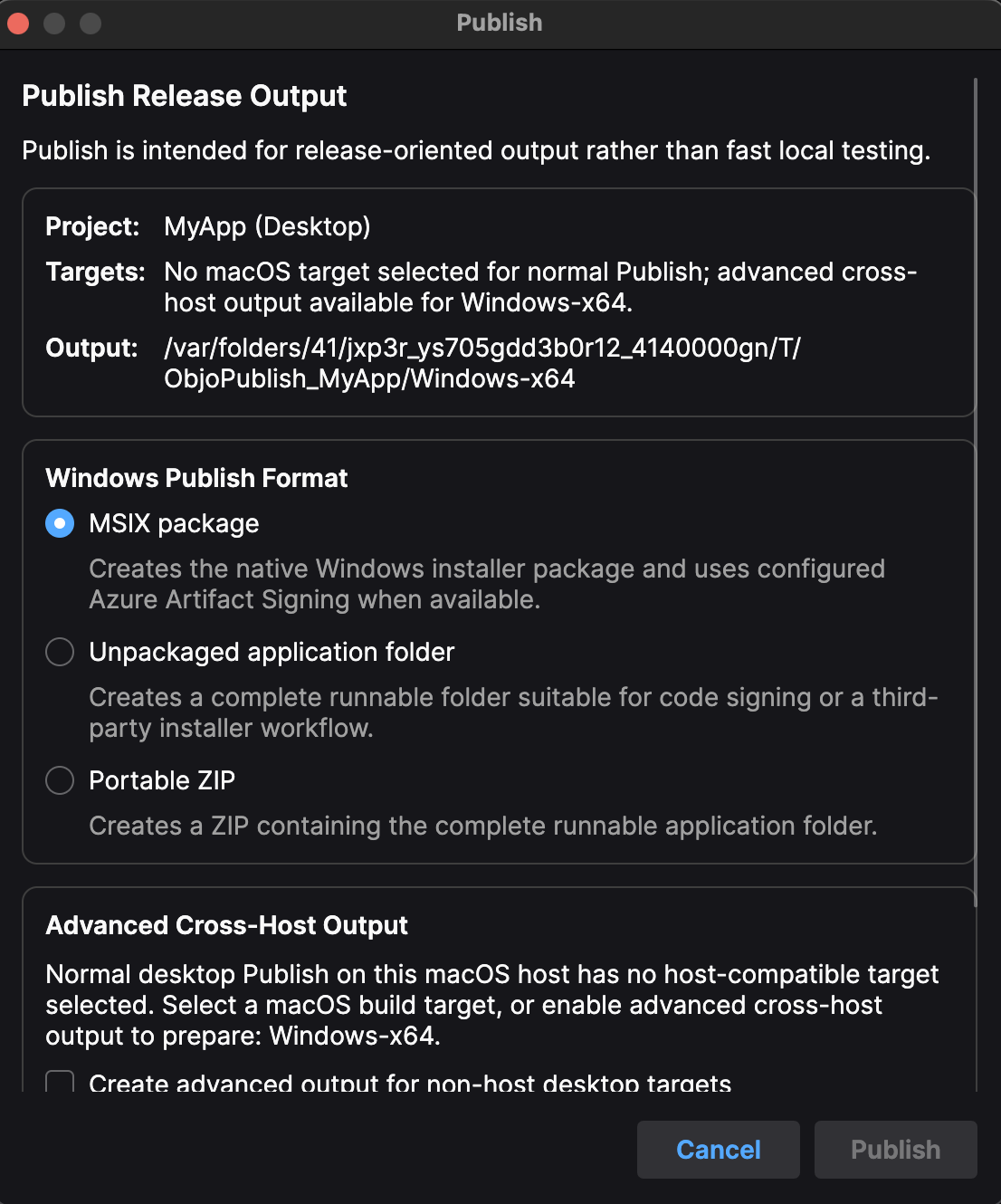
I’ve added three Windows desktop Publish formats for the next Objo Studio release:
- MSIX package — the existing/default option, with Azure Artifact Signing when configured.
- Unpackaged application folder — a complete runnable folder suitable for code signing or use with an installer builder such as Inno Setup.
- Portable ZIP — the same complete application folder packaged for portable distribution.
The folder and ZIP include everything the application needs: the .exe, app.objoc, runtime and native dependencies, deployed resources, and host settings.
app.objoc is the compiled Objo bytecode executed by the bundled runtime. It is therefore an intentional part of these outputs, not an intermediate file that can be deleted. Keeping the bytecode separate allows Studio to reuse the prebuilt runtime host rather than rebuilding the entire C# host for every application.
The folder and ZIP formats deliberately bypass MSIX packaging and Azure signing. Studio does not sign the individual .exe or DLL files in these outputs, so developers using a traditional installer should code-sign the applicable binaries in their external release pipeline before building the installer.
The same choices are available from the command line:
objo publish MyProject.objo --rid win-x64 --windows-format msix
objo publish MyProject.objo --rid win-x64 --windows-format folder
objo publish MyProject.objo --rid win-x64 --windows-format zip
MSIX remains the default when --windows-format is omitted. The folder and ZIP formats can also be produced for Windows through Studio’s advanced cross-host output when working on macOS or Linux.
This keeps Build focused on local development/testing output while giving Publish practical options for MSIX, traditional installer, and portable-app workflows.
This will be in the next release: https://feedback.objo.dev/feature/1129