The debugger currently has watch points but what would really help me right now in the situation I'm debugging would be something equivalent to the Watch window in Visual Studio's debugger. Rather than a breakpoint when an expression reaches a value, you enter an expression, it's evaluated if possible and it's in scope, and you see the current value in real time. If evaluating the expression has side effects, you have the option to evaluate it anyway, but it's not evaluated by default -- similar to how it works now with calculated field getters.
This could piggy-back on the watch point tab. If the user enters an expression but not an expected value, maybe checks a box or something, then that row becomes a watch value rather than a watch breakpoint. In place of the "expected value" (which IMO would better be called "breakpoint value" or "value to break on") it would just display what the expression currently evaluates to -- updated on each step action.
Although probably it's clearer / better if it's a separate tab. It would perhaps be confusing to have both watches and watch points, so maybe call the new tab something different like Expression Viewer.
In Visual Studio, the items in the Watch window are persistent between program runs and are preserved with the VS instance is shut down and restarted, although IIRC it IS tied to the currently open Solution. This "stickiness" usually does more good than harm, although, a Remove All button or feature would perhaps be useful, along with the ability to select multiple items and remove them. In VS so far as I know you have to select an expression and blank it out by hand and move off that line to get rid of it, which is ... clunky.
VS also has the ability to open multiple watch windows, to filter each one by name or depth. I have never actually used these features personally. My priority would just be to be able to evaluate any expression desired, so I don't have to resort to putting temporary variables or print statements into the code I'm debugging, then remember to take them out without fat-fingering something and breaking what I just fixed.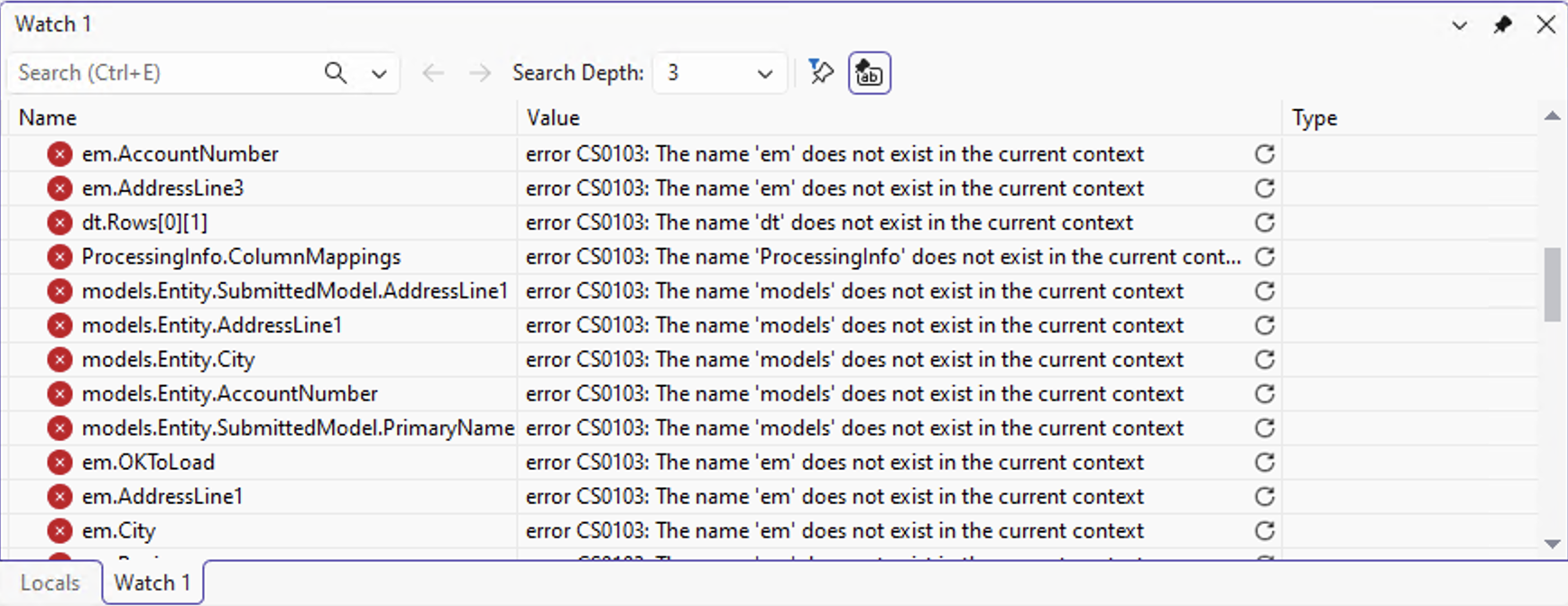
For reference, here's a quick screen shot I did of VS's watch window. 100% of the expressions were out of scope at the time, but the stuff I have in there, is usually a mix of stuff that's useful in common debugging contexts (a central class instance I often need to know what it contains, for example) and then some items that are more for a specific debugging session that I would replace with other things in my next debug session rather than keep around.