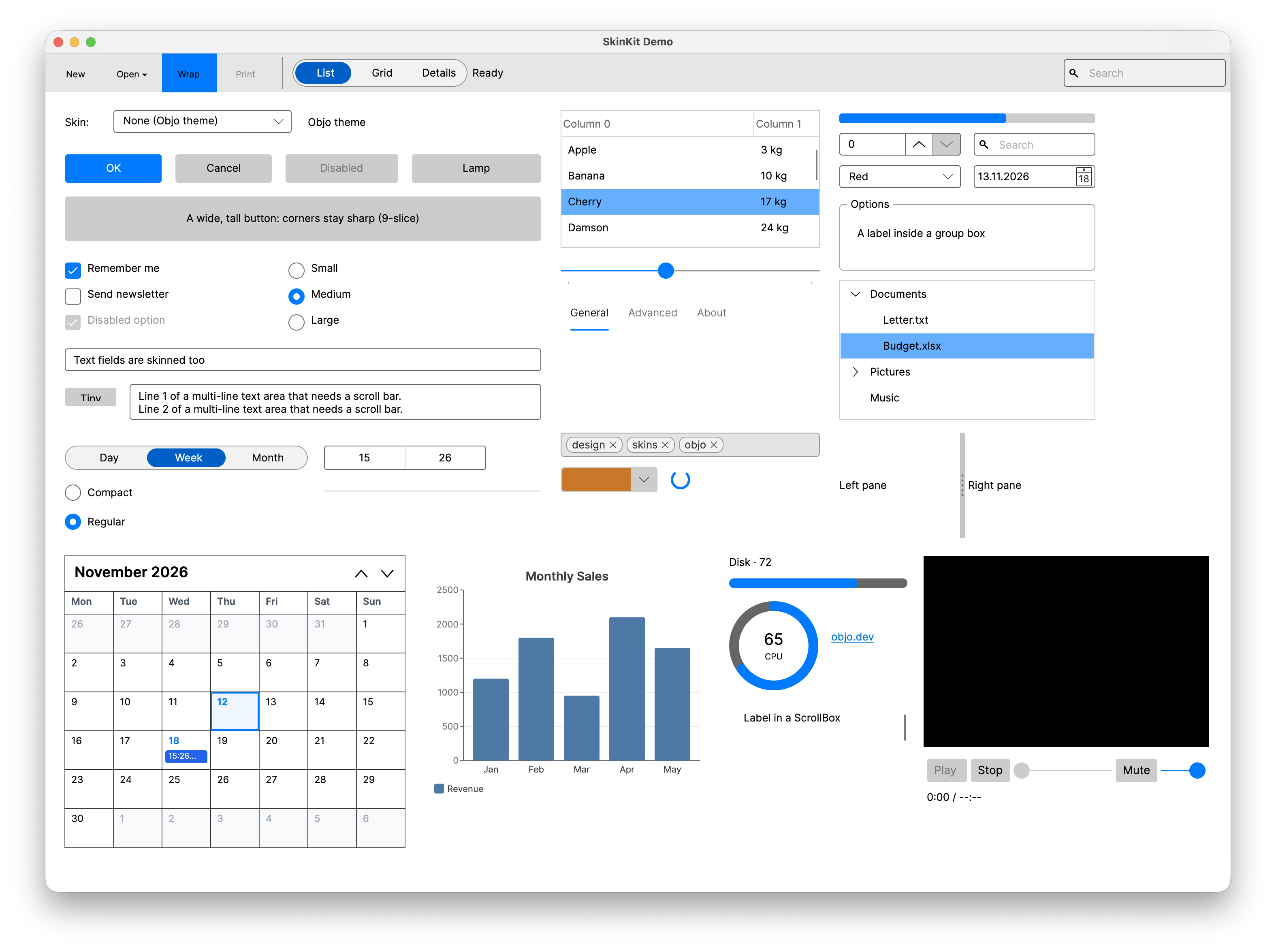
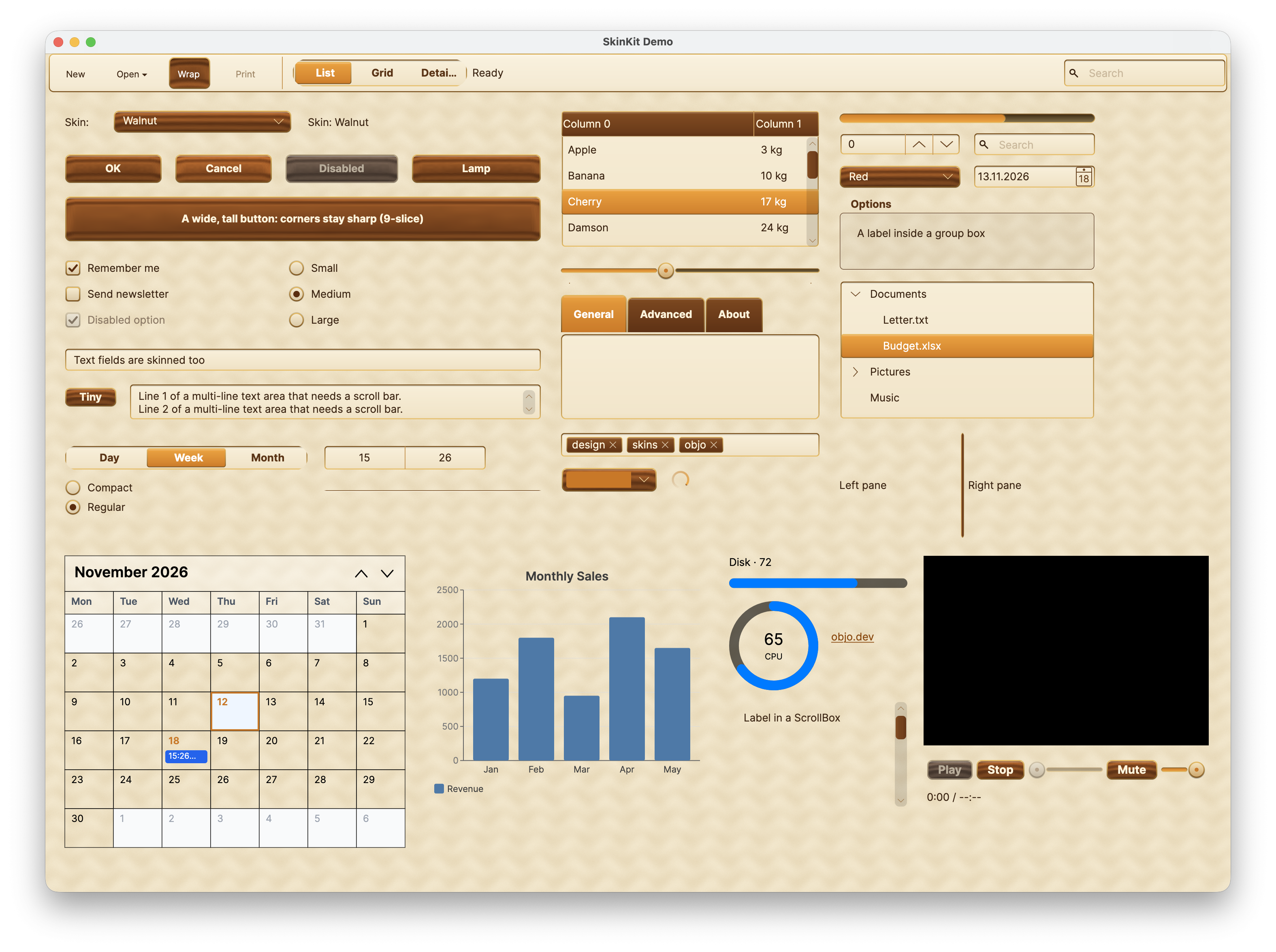
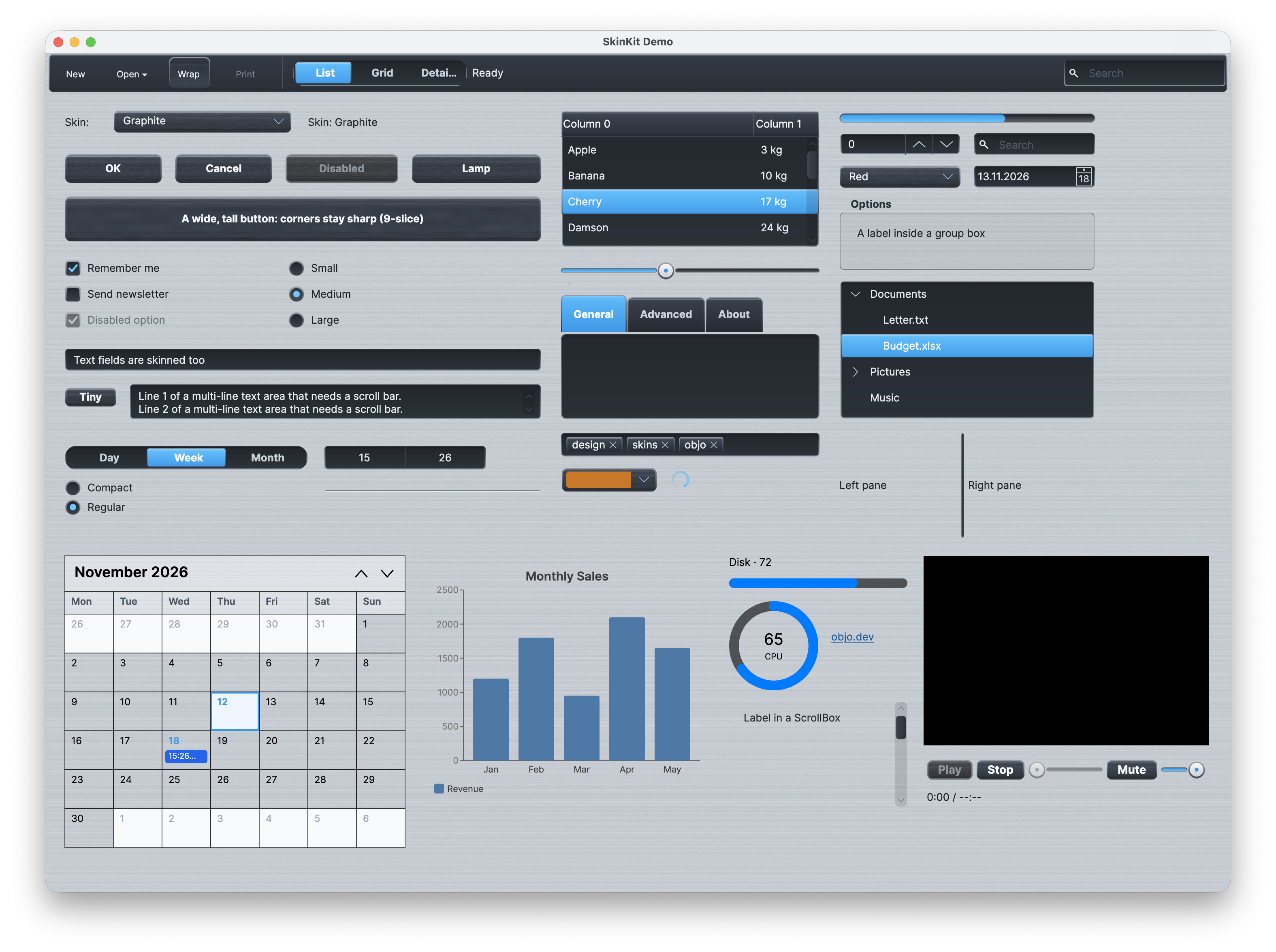
SkinKit is a plugin for giving Objo desktop apps a completely different look using PNG images.
A skin is simply a folder containing a skin.json file and a set of PNGs. You can provide different images for each control state — normal, hover, pressed, disabled, checked, and so on. SkinKit also supports 9-slice scaling, so things like buttons and panels can resize without stretching or blurring their corners.
It supports most of Objo’s built-in controls, including buttons, toggles, checkboxes, radio buttons, text fields and text areas, lists, trees and tables, sliders, progress bars, tabs, group boxes, segmented buttons, pop-up and combo menus, date and time pickers, toolbars, tooltips, message dialogs, tag fields, the colour picker, and the window background.
Skins can also be changed while the app is running.
Two example skins are included: Walnut, a warm and traditional theme, and Graphite, a darker theme. They’re mainly there to show how much the appearance of an app can be changed.
SkinKit is currently in beta. So far it has been tested on macOS with Objo 26.11.4, but it has not yet been tested on Windows or Linux.
A few parts of an app deliberately keep their normal appearance. This includes anything the app draws itself, such as charts, gauges, or custom canvas content, as well as native macOS elements like the menu bar and file dialogs.